<?xml version="1.0" encoding="UTF-8"?><feed
	xmlns="http://www.w3.org/2005/Atom"
	xmlns:thr="http://purl.org/syndication/thread/1.0"
	xml:lang="en-US"
	>
	<title type="text">Dann Berg | The Verge</title>
	<subtitle type="text">The Verge is about technology and how it makes us feel. Founded in 2011, we offer our audience everything from breaking news to reviews to award-winning features and investigations, on our site, in video, and in podcasts.</subtitle>

	<updated>2013-11-06T22:49:02+00:00</updated>

	<link rel="alternate" type="text/html" href="https://www.theverge.com/author/dann-berg" />
	<id>https://www.theverge.com/authors/dann-berg/rss</id>
	<link rel="self" type="application/atom+xml" href="https://www.theverge.com/authors/dann-berg/rss" />

	<icon>https://platform.theverge.com/wp-content/uploads/sites/2/2025/01/verge-rss-large_80b47e.png?w=150&amp;h=150&amp;crop=1</icon>
		<entry>
			
			<author>
				<name>Dann Berg</name>
			</author>
			
			<title type="html"><![CDATA[Departing BlackBerry CEO pens letter to employees as company&#8217;s &#8216;biggest fan&#8217;]]></title>
			<link rel="alternate" type="text/html" href="https://www.theverge.com/2013/11/6/5074376/departing-blackberry-ceo-letter-to-employees" />
			<id>https://www.theverge.com/2013/11/6/5074376/departing-blackberry-ceo-letter-to-employees</id>
			<updated>2013-11-06T17:49:02-05:00</updated>
			<published>2013-11-06T17:49:02-05:00</published>
			<category scheme="https://www.theverge.com" term="Mobile" /><category scheme="https://www.theverge.com" term="Tech" />
							<summary type="html"><![CDATA[In a letter to BlackBerry employees earlier this week, former CEO Thorsten Heins says he remains the company&#8217;s &#8220;biggest fan&#8221; even after handing over the reins to interim CEO John Chen, and will continue to be &#8220;cheering from the sidelines.&#8221; It&#8217;s no surprise that he has such encouraging words for his former company, as security [&#8230;]]]></summary>
			
							<content type="html">
											<![CDATA[

						
<figure>

<img alt="" data-caption="RIM CEO Thorsten Heins" data-portal-copyright="" data-has-syndication-rights="1" src="https://platform.theverge.com/wp-content/uploads/sites/2/chorus/uploads/chorus_asset/file/14516311/RIM-Devcon-europe-CEO-Thorsten-Heins2012-02-07-verge-1020-15.1419980065.jpg?quality=90&#038;strip=all&#038;crop=0,0,100,100" />
	<figcaption>
	RIM CEO Thorsten Heins	</figcaption>
</figure>
<p>In a letter to BlackBerry employees earlier this week, <a href="http://www.theverge.com/2013/11/4/5064278/blackberry-ceo-steps-down-as-company-secures-1-billion-funding-from">former CEO Thorsten Heins</a> says he remains the company&#8217;s &#8220;biggest fan&#8221; even after handing over the reins to interim <a href="http://www.theverge.com/mobile/2013/11/4/5065280/blackberry-interim-ceo-john-chen-profile">CEO John Chen</a>, and will continue to be &#8220;cheering from the sidelines.&#8221; It&#8217;s no surprise that he has such encouraging words for his former company, as security filings show that Heins stands to make up to $22 million following his departure from the floundering business.</p>
<p><!-- extended entry --></p><hr class="widget_boundry_marker hidden page_break">
<p>The full text, printed by the <a href="http://blogs.wsj.com/digits/2013/11/06/outgoing-blackberry-ceo-will-be-cheering-from-the-sidelines/"><em>Wall Street Journal</em></a>, reveals a tame Heins thanking employees and expressing hope for the company in the &#8220;capable hands&#8221; of Chen. BlackBerry&#8217;s new CEO is best known for overseeing the turnaround of Sybase, which one research firm pegged as having a 70 percent chance of failure when Chen stepped on board. BlackBerry would need a similar revival, and for Heins &mdash; who collects an enormous check on this way out of the door &mdash; it&#8217;s easy to stay positive as he leaves the struggling company.</p>
						]]>
									</content>
			
					</entry>
			<entry>
			
			<author>
				<name>Dann Berg</name>
			</author>
			
			<title type="html"><![CDATA[Sony Vaio Tap 11 review]]></title>
			<link rel="alternate" type="text/html" href="https://www.theverge.com/2013/11/6/5051452/sony-vaio-tap-11-review" />
			<id>https://www.theverge.com/2013/11/6/5051452/sony-vaio-tap-11-review</id>
			<updated>2013-11-06T15:30:03-05:00</updated>
			<published>2013-11-06T15:30:03-05:00</published>
			<category scheme="https://www.theverge.com" term="Laptop Reviews" /><category scheme="https://www.theverge.com" term="Microsoft" /><category scheme="https://www.theverge.com" term="Reviews" /><category scheme="https://www.theverge.com" term="Sony" /><category scheme="https://www.theverge.com" term="Tech" />
							<summary type="html"><![CDATA[Windows 8 has inspired plenty of strange notebook designs, from the swiveling screen on the Dell XPS 12 to the flexible Lenovo IdeaPad Yoga. But Microsoft&#8217;s own Surface tablet is the beacon for Microsoft&#8217;s true vision of the future of Windows 8 devices, a complete reimagining of the notebook as part traditional laptop and part [&#8230;]]]></summary>
			
							<content type="html">
											<![CDATA[

						
<figure>

<img alt="" data-caption="Sony Vaio Tap 11" data-portal-copyright="" data-has-syndication-rights="1" src="https://platform.theverge.com/wp-content/uploads/sites/2/chorus/uploads/chorus_asset/file/13062801/sony-vaio-tap11-2040-1.1419980046.jpg?quality=90&#038;strip=all&#038;crop=0,0,100,100" />
	<figcaption>
	Sony Vaio Tap 11	</figcaption>
</figure>
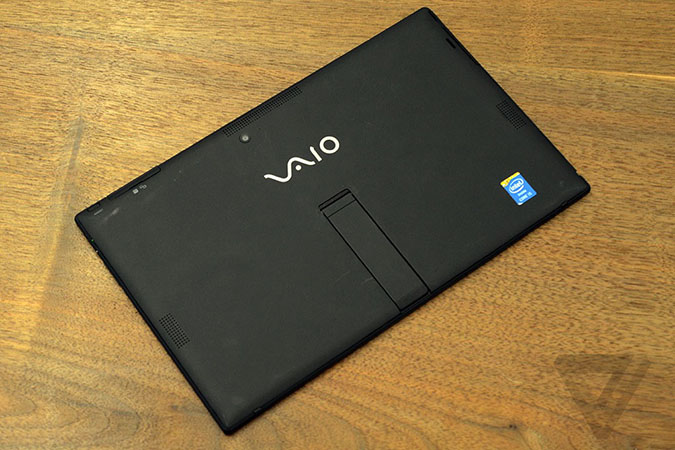
<p>Windows 8 has inspired plenty of strange notebook designs, from the swiveling screen on the <a href="http://www.theverge.com/2013/9/9/4709608/dell-xps-12-review-2013">Dell XPS 12</a> to the flexible <a href="http://www.theverge.com/2013/5/2/4289964/lenovo-ideapad-yoga-11-review">Lenovo IdeaPad Yoga</a>. But Microsoft&rsquo;s own <a href="http://www.theverge.com/2013/10/20/4858522/microsoft-surface-pro-2-review">Surface tablet</a> is the beacon for Microsoft&rsquo;s true vision of the future of Windows 8 devices, a complete reimagining of the notebook as part traditional laptop and part tablet. As Microsoft and others tried to build these devices, they were hamstrung by poor design, and parts that couldn&#8217;t find ways to be both powerful and long-lasting &mdash; but the tide is shifting.</p>

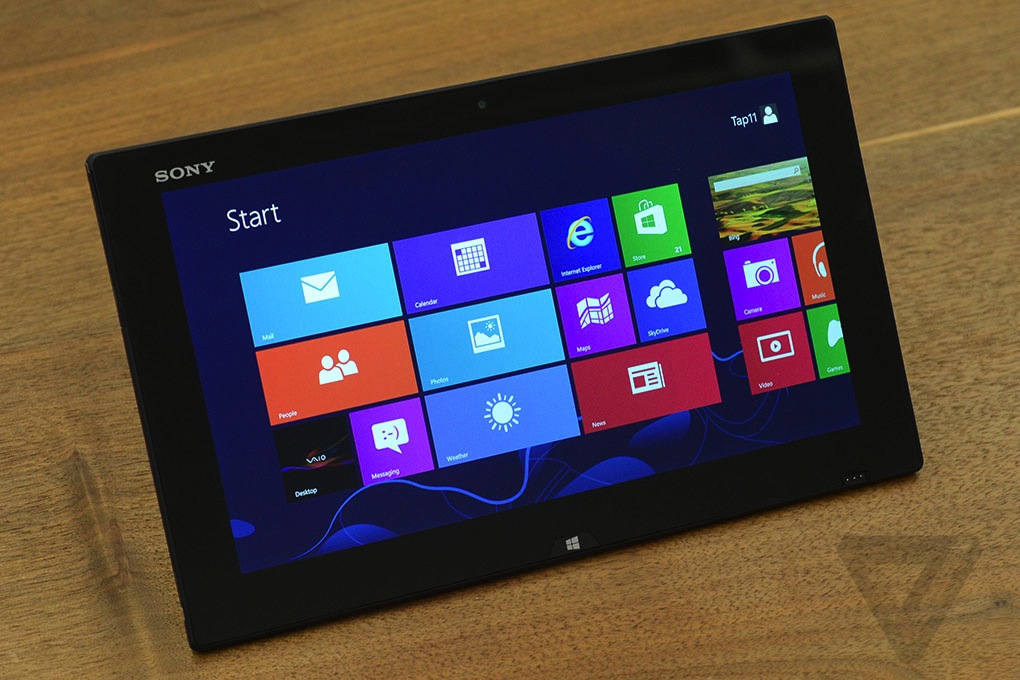
<p>The Vaio Tap 11 is Sony&#8217;s answer to the <a href="http://www.theverge.com/2013/10/20/4858522/microsoft-surface-pro-2-review">Surface Pro 2</a>, and potentially proof that this form factor can really work. This 11.6-inch tablet has a kickstand and an included, detachable keyboard. It&rsquo;s also extremely thin, promises plenty of battery life, and comes in at just $799 for a Pentium processor and $999 for a more powerful Intel Core chip.</p>

<p>Microsoft keeps pushing its vision, and other manufacturers are coming around. But could Sony be one of the first to build a true hybrid, the one device for everything in your life?</p>
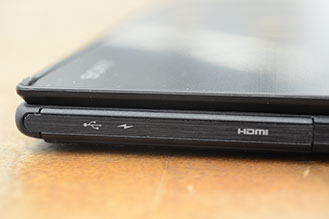
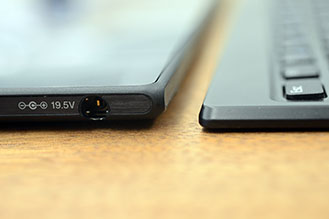
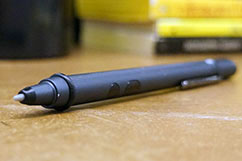
<div class="snippet-n"><div class="g8-3"> <a class="entry-section-title">Hardware</a><h2>A tablet in body, not spirit</h2> <p>At first glance, the Sony Vaio Tap 11 is downright attractive. The body is made of a premium-feeling soft <strike>plastic</strike> magnesium alloy while the entire front features edge-to-edge glass. It&#8217;s just 0.39 inches thick, which makes it easy to believe Sony&rsquo;s claim that this is the world&rsquo;s thinnest Windows 8 tablet with an Intel Core processor. It&#8217;s <em>really</em> thin &mdash; barely thicker than the iPhone 5S &mdash; and the difference between it and the 0.53-inch-thick Surface Pro 2 is striking.</p> <p>The edges look sleek and clean, with every port hidden by plastic covers except for the power connector on the bottom-left side. The Tap 11 has plenty of ports, but mostly shrunken versions: besides the standard USB 3.0, the Tap 11 includes a mini HDMI and microSD port. It&rsquo;s one of the compromises for getting so slim, though I would have much preferred the full-size versions &mdash; a bagful of adapters kind of kills the point.</p> <div class="snippet-n float-left"> <img alt="Dsc_9594-329" class="photo" src="http://cdn0.sbnation.com/assets/3516495/DSC_9594-329.jpg"><q>A few unfortunate design decisions take away from the overall quality</q> <img alt="Dsc_9668-329" class="photo" src="http://cdn3.sbnation.com/assets/3516487/DSC_9668-329.jpg"> </div> <p>The Tap 11 is sturdy and well-made, but it&#8217;s held back by a few unfortunate design decisions. All those little plastic covers protecting the ports feel flimsy and cheap, and I had a hard time snapping (or rather mushing) them back into place. The charger connector is even worse: it&rsquo;s short and stubby, and never feels totally connected. This loose connection is supposedly a feature, ensuring that tripping over the cord won&rsquo;t knock the device off the table, but Sony should have really gone with magnets like the <a href="http://www.theverge.com/2013/10/20/4858522/microsoft-surface-pro-2-review">Surface Pro 2</a> or <a href="http://www.theverge.com/2013/6/17/4436332/macbook-air-review-13-inch-2013">Macbook Air</a>. The connector is so bad, I initially thought it was broken, and there were a few times I didn&rsquo;t notice it had somehow disconnected until I got a low-battery warning.</p> <p>On the other hand, the Tap 11&#8217;s kickstand is fantastic &mdash; it&rsquo;s easy to open and stays put at any angle from flat to about 45 degrees. The Surface Pro 2 can go a little deeper thanks to its second kickstand angle, but I liked having the freedom to make tiny adjustments to the screen. The single short leg doesn&rsquo;t look as nice as the Surface&rsquo;s full-width kickstand, though, and makes propping the tablet on your lap really hard. The physical glass Windows button feels nice, but is so hard to push that the entire tablet fell back every time I used it. A capacitive button, like the Surface, would have been much better.</p> <p>The Tap 11&rsquo;s cover attaches to the tablet using very strong magnets &mdash; they&#8217;re powerful enough that the two never separated when in my bag, yet slipping them apart was a breeze. But that&#8217;s just the problem: they slip apart.</p> <p>When you pry off the cover, you&rsquo;ll find a full-fledged keyboard, just like the Surface&#8217;s <a href="http://www.theverge.com/2013/9/23/4761840/microsoft-announces-surface-type-cover">Type Cover</a>, only without a way to connect at the hinge. This is an unattached, wireless keyboard that only touches the tablet when it&rsquo;s not in use. This is particularly mind-boggling because the keyboard cover also serves as an external battery for the tablet, like the new <a href="http://www.theverge.com/2013/9/23/4761448/microsoft-surface-power-cover-battery">Power Cover</a> for the Surface Pro. But unlike Microsoft&rsquo;s tablets, there&rsquo;s no way to access that extra power unless you completely stop using the device and put the cover back on. Likewise, there&rsquo;s no way to recharge the keyboard except through the tablet, so both pieces need to be sandwiched together and plugged in for the keyboard to charge. If the keyboard battery dies, you&#8217;re done using it until you can stop using the tablet altogether for a few hours.</p> <p>But the most frustrating thing about the unattached keyboard is that it means you can&rsquo;t use the complete unit on your lap. If I didn&rsquo;t have a table to use, I had no choice but to use the device as a tablet and type on the on-screen keyboard. I also had to find a safe place for the cover, which usually ended up awkwardly stacked on the back of the tablet. I longed for the wide kickstand and magnetized cover of the Surface Pro that make lap use a little easier.</p> </div></div><div class="snippet-n"><div class="g12-1"><img src="http://cdn2.sbnation.com/assets/3523799/vg-DSC_9615-1020.jpg" class="photo" alt="Vg-dsc_9615-1020"></div></div><div class="snippet-n"><div class="g10-2"><h3>Keyboard and pen</h3></div></div><div class="snippet-n"> <div class="g7-2"> <p>The keyboard itself is a pleasant surprise &mdash; for the most part it feels carefully crafted to fit the needs of the Tap 11. It provides a surprisingly good typing experience, much less cramped than the Type Cover, with a moderate amount of of tactile feedback. The keys are a <em>little</em> mushy, but it feels more like a low-end traditional keyboard than a tablet cover with keyboard aspirations.</p> <p>As is all too often the case with Windows tablets, the trackpad lets it down. It&rsquo;s a tad too short and much too wide, with the cheap-feeling dotted-plastic texture of a netbook trackpad. Using it almost tickled my fingertips, which was not at all pleasant. The mouse button also needs slightly too much force to click, which was a source of consistent frustration.</p> <p>I like using a stylus throughout the OS, but I wish the N-trig-powered Active Pen was more integrated into the Windows 8 experience. It feels premium and has a nice weight, but the tip is treated as a mouse cursor rather than a finger, which means that I couldn&rsquo;t use it to swipe through the Windows 8 home screen or websites &mdash; I had to tap and drag on scroll bars. The Tap 11 can sense when the stylus is close, displaying a little dot on the screen, and tapping while pressing the button on the pen is an easy way to right click. But switching from the pen to my finger and back was so annoying that I mostly just ignored the stylus except when I explicitly needed it.</p> <p>The stylus is clearly not a critical part of the device, either. There&rsquo;s no integrated pen dock, only a hook-shaped piece of plastic that snaps onto the left side of the device though a tiny slot in the back. It looks out of place, like a last-minute solution to an ignored problem. The stylus on the Surface Pro at least attaches to the power connector; the Tap 11&rsquo;s pen holder feels disjointed.</p> </div> <div class="g3-9"> <img alt="Dsc_9628-329" class="photo" src="http://cdn0.sbnation.com/assets/3516479/DSC_9628-329.jpg"><q>The keyboard provides a surprisingly good typing experience</q> <img alt="Pen-242" class="photo" src="http://cdn3.sbnation.com/assets/3494865/pen-242.jpg"> </div> </div><div class="snippet-n"><div class="g12-1"><img src="http://cdn3.sbnation.com/assets/3523695/vg-DSC_9674-1020.jpg" class="photo" alt="Vg-dsc_9674-1020"></div></div><div class="snippet-n"><div class="g8-3"> <a class="entry-section-title">Specs and performance</a><h2>Tablet versus laptop</h2> <p>Despite its slim size, the Tap 11 certainly doesn&rsquo;t feel like a lesser machine. Sony is using a new <a href="http://www.theverge.com/2013/6/1/4386292/intel-launches-haswell-processors-heres-what-you-need-to-know">Haswell</a> Y-series chip, which is specifically designed to bring notebook-level power to tablets. The Core i5-4210Y chip with 4GB of RAM in my review model made the device act and feel more like a notebook than a tablet. Like any ultrabook or convertible, it&#8217;s not a gaming PC or even really suited for heavy graphics work, but it does the basics well. It&rsquo;s not perfect, though: there&rsquo;s a hint of stuttering when scrolling websites or even swiping through the Start screen. The notebook is also available with a Core i3 or a Core i7 processor configuration, and has one model with the less powerful Intel Pentium 3560Y. The Pentium processor does help the Tap 11 start at $100 less than the base Surface 2 Pro, but given the i5&rsquo;s limitations I&rsquo;d recommend bumping up your configuration a bit.</p> <p>The Tap 11 has a built-in fan for cooling, but thanks to the low-voltage chip it doesn&#8217;t seem to need it much. I never really noticed the tablet getting warm, but the fan did kick on a few times throughout my time with the device. It always happened randomly &mdash; once as I was browsing with usually power-friendly Chrome, and again inexplicably right after I turned on the notebook.</p> <img alt="Vg-dsc_9679-675" class="photo" src="http://cdn2.sbnation.com/assets/3516601/vg-DSC_9679-675.jpg"><p>The Tap 11&rsquo;s 11.6-inch, 1920 x 1080 display features Sony&rsquo;s <a href="http://www.theverge.com/2013/1/16/3881546/sonys-new-triluminous-tvs-pursue-vibrant-hues-with-quantum-dots">Triluminos technology</a>, first found in its TVs before making its way into devices like the <a href="http://www.theverge.com/2013/6/4/4395926/sony-vaio-pro-review-were-going-to-war-with-the-macbook-air">Vaio Pro</a> and the <a href="http://www.theverge.com/products/xperia-z-ultra/7182">Xperia Z Ultra</a>. The screen looks great, with solid viewing angles and bright, accurate colors. It packs plenty of pixels, and high-resolution screens are a must on a tablet, but the Tap 11 suffers from the same resolution ailments as the <a href="http://www.theverge.com/2013/6/4/4395926/sony-vaio-pro-review-were-going-to-war-with-the-macbook-air">11-inch Vaio Pro</a> &mdash; a significant part of the operating system renders way too small.</p> <p>The worst offender is desktop mode, where icons and buttons are way too small to accurately tap with a finger, and even the pen gave me issues when I tried to select things like task-tray items. Websites were also small and hard to read, like <em>The Verge</em>, which was relegated to a narrow column in the center of the screen with plenty of empty white space on either side. This can be easily solved by adjusting the screen resolution (in the Control Panel under Appearance) but that defeats the entire point of the 1080p screen because everything looks slightly blurry. You&rsquo;re left choosing between the lesser of two evils, which for me was keeping the higher resolution and relying heavily on the mouse and pen instead of touch.</p> <q>Flipping the tablet into portrait just feels ridiculous</q><p>I still find 16:9 to be an extremely awkward aspect ratio for a tablet. It&rsquo;s fine for landscape mode, but flipping over to portrait just feels ridiculous. It&rsquo;s a shame, since I tend to prefer portrait for internet browsing, but the combination of a weirdly long screen and tiny text made the experience less than ideal. This is where making a hybrid device gets really hard &mdash; 16:9 is right for laptops and wrong for large tablets, and finding the right resolution balance is hard.</p> <p>For both types of devices, battery life is crucial &mdash; and doesn&#8217;t quite measure up. The Tap 11 did last almost an entire day of moderate use, only making me run for the charger for about the last hour of the day. But that&#8217;s not nearly tablet-level battery life, and can&#8217;t come close to matching some of the Haswell-powered laptops we&#8217;ve seen either. It lasted 5 hours, 42 minutes on the Verge Battery Test, which cycles through a series of websites and high-res images with a screen brightness of 65 percent. Unfortunately, that just doesn&rsquo;t hold up to the Surface Pro 2, which lasted 7 hours, 33 minutes on a single charge. Sony might have done well to make a slightly thicker tablet in exchange for much longer battery life.</p> </div></div><!-- ######## END SNIPPET ######## --><p><br id="1383311834058"></p><figure class="wp-block-pullquote alignleft"><blockquote><p>We&#039;re getting closer, but we&#039;re not there yet</p></blockquote></figure>
<p>With the Tap 11, Sony basically built a thinner, cheaper version of the Surface Pro 2 &mdash; but it made plenty of other compromises along the way. The Tap 11 just doesn&rsquo;t have the same level of build quality as the Surface Pro 2. It does come with a keyboard, a near-necessity for a Windows 8 tablet (and one oddly not included with the Surface), but the implementation is all wrong. I want to be able to charge the keyboard or use its power when I&rsquo;m working on the tablet, not just when it&rsquo;s closed and tucked away. And I want to be able to attach the two pieces, turning the Tap 11&rsquo;s two parts &mdash; which, assembled, seem like they&rsquo;d make a great laptop &mdash; into a single clamshell notebook.</p>

<p>If you&rsquo;re looking for a powerful Windows 8 tablet to replace your laptop, the Microsoft Surface Pro 2 is still the the device to beat. The keyboard may be an extra purchase, but the Surface just looks and feel like a more premium device &mdash; and with longer-lasting battery and better performance, it&#8217;s an easy decision. I long for a thinner Surface Pro, but for now I&#8217;ll take everything else it offers over a thinner body.</p>

<p>The $999 Vaio Tap 11 with 128GB of storage and an Intel Core processor feels like it still has a few quirks to work out before it catches up to Microsoft. And it makes clear just how hard it is to build a device that&#8217;s equally suited to life as both a tablet and a laptop &mdash; the perfect hybrid&#8217;s probably still a long way off.</p>
						]]>
									</content>
			
					</entry>
			<entry>
			
			<author>
				<name>Dann Berg</name>
			</author>
			
			<title type="html"><![CDATA[Lenovo expands Yoga range with twisting Android tablets]]></title>
			<link rel="alternate" type="text/html" href="https://www.theverge.com/2013/10/29/5043356/lenovo-yoga-tablets-hinge-long-battery-life" />
			<id>https://www.theverge.com/2013/10/29/5043356/lenovo-yoga-tablets-hinge-long-battery-life</id>
			<updated>2013-10-29T22:30:06-04:00</updated>
			<published>2013-10-29T22:30:06-04:00</published>
			<category scheme="https://www.theverge.com" term="Google" /><category scheme="https://www.theverge.com" term="Hands-on" /><category scheme="https://www.theverge.com" term="Mobile" /><category scheme="https://www.theverge.com" term="Reviews" /><category scheme="https://www.theverge.com" term="Tech" />
							<summary type="html"><![CDATA[Lenovo re-thought the laptop, bringing flexible displays to a variety of different notebooks, and has now turned its focus to the tablet. The new Yoga Tablet 8 and 10 appear almost book- or magazine-inspired, like the Sony Xperia Tablet S, with a round bulge along one edge to serve as a grip. The design itself [&#8230;]]]></summary>
			
							<content type="html">
											<![CDATA[

						
<figure>

<img alt="" data-caption="Lenovo Yoga Tablets" data-portal-copyright="" data-has-syndication-rights="1" src="https://platform.theverge.com/wp-content/uploads/sites/2/chorus/uploads/chorus_asset/file/12803473/vg-DSC01603.1419980039.jpg?quality=90&#038;strip=all&#038;crop=0,0,100,100" />
	<figcaption>
	Lenovo Yoga Tablets	</figcaption>
</figure>
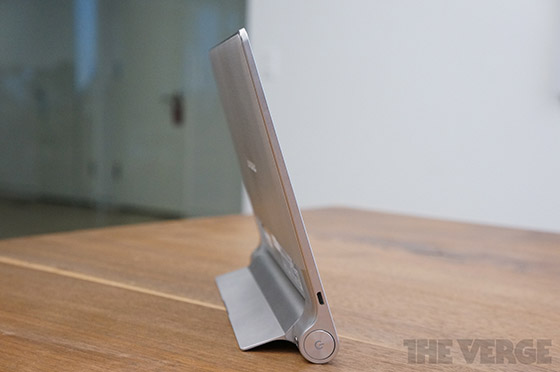
<p>Lenovo re-thought the laptop, bringing flexible displays to a <a href="http://www.theverge.com/2013/9/5/4683852/lenovo-yoga-2-pro-thinkpad-yoga">variety of different notebooks</a>, and has now turned its focus to the tablet. The new Yoga Tablet 8 and 10 appear almost book- or magazine-inspired, like the <a href="http://www.theverge.com/2012/9/24/3333106/sony-xperia-tablet-s-review">Sony Xperia Tablet S</a>, with a round bulge along one edge to serve as a grip. The design itself isn&#8217;t completely new &mdash; the new tablets look eerily similar to the <a href="http://www.theverge.com/2012/8/9/3229047/best-ipad-keyboard">Apple Wireless Keyboard</a> &mdash; but the extra space allows Lenovo to pack the tablets full of battery life. Both devices will supposedly last 16 to 18 hours on a single charge, which Lenovo hopes will make these tablets stand out from the competition.</p><p><!-- extended entry --></p><hr class="widget_boundry_marker hidden page_break">
<p>Both the 8-inch and 10-inch Yoga tablets feel solid and well-built, with a slightly textured backing and slim body, except for the cylindrical battery. The new shape is actually really comfortable to hold, especially the 8-inch model, which has a great grip for reading. Both tablets also have a kickstand that&#8217;s a little hard to open but holds steady at any angle, unlike the limited two positions of the <a href="http://www.theverge.com/2013/10/20/4858522/microsoft-surface-pro-2-review">Surface Pro 2</a>. There are two front-facing speakers as well, which have impressive audio quality and make movie watching on the Yoga tablets a pleasure.</p>
<p><img alt="Lenovo-yoga-tablet-2040-11-560" class="photo" src="http://cdn1.sbnation.com/assets/3476469/lenovo-yoga-tablet-2040-11-560.jpg"><br id="1383081520152"></p>
<p>Both devices have an MT8125 SoC, usually seen in budget tablets, which run Android 4.2.2 on a modest quad-core 1.2GHz Cortex-A7 with 1GB of RAM. Lenovo has chosen a strange Android skin that more closely resembles iOS than Android, with apps covering the home screens rather than tucked inside an app launcher. Almost surprisingly, the OS feels fast and responsive, with impressive scrolling rendering in both the default browser and Chrome. Both tablets have low-res 1280 x 800 resolution screens, although both colors and viewing angles are fairly impressive.</p>
<p><iframe width="560" height="315" src="http://www.youtube-nocookie.com/embed/umk49MNprCU?list=PLs18hw3X0NC4zMdJFw9HaBNk8BW7OzZQW" frameborder="0" allowfullscreen></iframe></p><p><q class="right">Android 4.2.2 feels fast and responsive</q></p>
<p>Although 16 to 18 hours of battery life is definitely longer than any competing tablet, the protruding battery bump makes the devices slightly awkward travel companions. Lenovo has a protective case available for both sizes, which compensates for the extra bulge, but then it&#8217;s no longer a slim and sleek tablet inside your bag. There are other minor annoyances as well, such as the kickstand partially blocking the camera lens when open and unusual twisting grip needed to open the stand.</p>

<p>The 8-inch Yoga Tablet, which costs $249, seems targeted directly at the $229 <a href="http://www.theverge.com/2013/7/26/4558626/google-nexus-7-review-2013">Nexus 7</a>, offering a slightly bigger screen and possibly much longer battery life. The 10-inch tablet has an even more aggressive price point, costing just $299, compared to the $379 8.9-inch <a href="http://www.theverge.com/2013/9/25/4767538/amazon-kindle-fire-hdx-tablets-preview">Amazon Kindle Fire HDX</a>. The new designs are a definite departure from the established tablet form factor, but Lenovo proves it&#8217;s not afraid to risk trying something new &mdash; and it&#8217;s pulled it off before.</p>

<div class="image-slider">
	<div class="image-slider">
		<img src="https://platform.theverge.com/wp-content/uploads/sites/2/chorus/uploads/chorus_asset/file/2792832/lenovo-yoga-tablet-2040-1.1383071506.jpg?quality=90&#038;strip=all&#038;crop=0.22727272727273,0,99.545454545455,100" alt="Lenovo Yoga Tablet hands-on" title="Lenovo Yoga Tablet hands-on" data-has-syndication-rights="1" data-caption="" data-portal-copyright="" />
<img src="https://platform.theverge.com/wp-content/uploads/sites/2/chorus/uploads/chorus_asset/file/2792860/lenovo-yoga-tablet-2040-13.1383071531.jpg?quality=90&#038;strip=all&#038;crop=0.22727272727273,0,99.545454545455,100" alt="Lenovo Yoga Tablet hands-on" title="Lenovo Yoga Tablet hands-on" data-has-syndication-rights="1" data-caption="" data-portal-copyright="" />
<img src="https://platform.theverge.com/wp-content/uploads/sites/2/chorus/uploads/chorus_asset/file/2792850/lenovo-yoga-tablet-2040-11.1383071520.jpg?quality=90&#038;strip=all&#038;crop=0.22727272727273,0,99.545454545455,100" alt="Lenovo Yoga Tablet hands-on" title="Lenovo Yoga Tablet hands-on" data-has-syndication-rights="1" data-caption="" data-portal-copyright="" />
<img src="https://platform.theverge.com/wp-content/uploads/sites/2/chorus/uploads/chorus_asset/file/2792836/lenovo-yoga-tablet-2040-2.1383071506.jpg?quality=90&#038;strip=all&#038;crop=0.22727272727273,0,99.545454545455,100" alt="Lenovo Yoga Tablet hands-on" title="Lenovo Yoga Tablet hands-on" data-has-syndication-rights="1" data-caption="" data-portal-copyright="" />
<img src="https://platform.theverge.com/wp-content/uploads/sites/2/chorus/uploads/chorus_asset/file/2792830/lenovo-yoga-tablet-2040-3.1383071505.jpg?quality=90&#038;strip=all&#038;crop=0.22727272727273,0,99.545454545455,100" alt="Lenovo Yoga Tablet hands-on" title="Lenovo Yoga Tablet hands-on" data-has-syndication-rights="1" data-caption="" data-portal-copyright="" />
<img src="https://platform.theverge.com/wp-content/uploads/sites/2/chorus/uploads/chorus_asset/file/2792834/lenovo-yoga-tablet-2040-4.1383071506.jpg?quality=90&#038;strip=all&#038;crop=0.22727272727273,0,99.545454545455,100" alt="Lenovo Yoga Tablet hands-on" title="Lenovo Yoga Tablet hands-on" data-has-syndication-rights="1" data-caption="" data-portal-copyright="" />
<img src="https://platform.theverge.com/wp-content/uploads/sites/2/chorus/uploads/chorus_asset/file/2792838/lenovo-yoga-tablet-2040-5.1383071507.jpg?quality=90&#038;strip=all&#038;crop=0.22727272727273,0,99.545454545455,100" alt="Lenovo Yoga Tablet hands-on" title="Lenovo Yoga Tablet hands-on" data-has-syndication-rights="1" data-caption="" data-portal-copyright="" />
<img src="https://platform.theverge.com/wp-content/uploads/sites/2/chorus/uploads/chorus_asset/file/2792816/lenovo-yoga-tablet-2040-6.1383071504.jpg?quality=90&#038;strip=all&#038;crop=0.22727272727273,0,99.545454545455,100" alt="Lenovo Yoga Tablet hands-on" title="Lenovo Yoga Tablet hands-on" data-has-syndication-rights="1" data-caption="" data-portal-copyright="" />
<img src="https://platform.theverge.com/wp-content/uploads/sites/2/chorus/uploads/chorus_asset/file/2792840/lenovo-yoga-tablet-2040-7.1383071517.jpg?quality=90&#038;strip=all&#038;crop=0.22727272727273,0,99.545454545455,100" alt="Lenovo Yoga Tablet hands-on" title="Lenovo Yoga Tablet hands-on" data-has-syndication-rights="1" data-caption="" data-portal-copyright="" />
<img src="https://platform.theverge.com/wp-content/uploads/sites/2/chorus/uploads/chorus_asset/file/2792852/lenovo-yoga-tablet-2040-8.1383071520.jpg?quality=90&#038;strip=all&#038;crop=0.22727272727273,0,99.545454545455,100" alt="Lenovo Yoga Tablet hands-on" title="Lenovo Yoga Tablet hands-on" data-has-syndication-rights="1" data-caption="" data-portal-copyright="" />
<img src="https://platform.theverge.com/wp-content/uploads/sites/2/chorus/uploads/chorus_asset/file/2792848/lenovo-yoga-tablet-2040-9.1383071519.jpg?quality=90&#038;strip=all&#038;crop=0.22727272727273,0,99.545454545455,100" alt="Lenovo Yoga Tablet hands-on" title="Lenovo Yoga Tablet hands-on" data-has-syndication-rights="1" data-caption="" data-portal-copyright="" />
<img src="https://platform.theverge.com/wp-content/uploads/sites/2/chorus/uploads/chorus_asset/file/2792846/lenovo-yoga-tablet-2040-10.1383071518.jpg?quality=90&#038;strip=all&#038;crop=0.22727272727273,0,99.545454545455,100" alt="Lenovo Yoga Tablet hands-on" title="Lenovo Yoga Tablet hands-on" data-has-syndication-rights="1" data-caption="" data-portal-copyright="" />
<img src="https://platform.theverge.com/wp-content/uploads/sites/2/chorus/uploads/chorus_asset/file/2792856/lenovo-yoga-tablet-2040-12.1383071521.jpg?quality=90&#038;strip=all&#038;crop=0.22727272727273,0,99.545454545455,100" alt="Lenovo Yoga Tablet hands-on" title="Lenovo Yoga Tablet hands-on" data-has-syndication-rights="1" data-caption="" data-portal-copyright="" />
<img src="https://platform.theverge.com/wp-content/uploads/sites/2/chorus/uploads/chorus_asset/file/2792858/lenovo-yoga-tablet-2040-14.1383071530.jpg?quality=90&#038;strip=all&#038;crop=0.22727272727273,0,99.545454545455,100" alt="Lenovo Yoga Tablet hands-on" title="Lenovo Yoga Tablet hands-on" data-has-syndication-rights="1" data-caption="" data-portal-copyright="" />
<img src="https://platform.theverge.com/wp-content/uploads/sites/2/chorus/uploads/chorus_asset/file/2792866/lenovo-yoga-tablet-2040-15.1383071532.jpg?quality=90&#038;strip=all&#038;crop=0.22727272727273,0,99.545454545455,100" alt="Lenovo Yoga Tablet hands-on" title="Lenovo Yoga Tablet hands-on" data-has-syndication-rights="1" data-caption="" data-portal-copyright="" />
<img src="https://platform.theverge.com/wp-content/uploads/sites/2/chorus/uploads/chorus_asset/file/2792862/lenovo-yoga-tablet-2040-16.1383071532.jpg?quality=90&#038;strip=all&#038;crop=0.22727272727273,0,99.545454545455,100" alt="Lenovo Yoga Tablet hands-on" title="Lenovo Yoga Tablet hands-on" data-has-syndication-rights="1" data-caption="" data-portal-copyright="" />
	</div>
</div>
						]]>
									</content>
			
					</entry>
			<entry>
			
			<author>
				<name>Dann Berg</name>
			</author>
			
			<title type="html"><![CDATA[Lenovo Yoga Tablet hands-on]]></title>
			<link rel="alternate" type="text/html" href="https://www.theverge.com/2013/10/29/5043304/lenovo-yoga-tablet-hands-on" />
			<id>https://www.theverge.com/2013/10/29/5043304/lenovo-yoga-tablet-hands-on</id>
			<updated>2013-10-29T22:30:06-04:00</updated>
			<published>2013-10-29T22:30:06-04:00</published>
			<category scheme="https://www.theverge.com" term="Google" /><category scheme="https://www.theverge.com" term="Hands-on" /><category scheme="https://www.theverge.com" term="Mobile" /><category scheme="https://www.theverge.com" term="Reviews" /><category scheme="https://www.theverge.com" term="Tech" />
			
							<content type="html">
									</content>
			
					</entry>
			<entry>
			
			<author>
				<name>Dann Berg</name>
			</author>
			
			<title type="html"><![CDATA[Mac OS X 10.9 Mavericks review]]></title>
			<link rel="alternate" type="text/html" href="https://www.theverge.com/2013/10/28/5036102/mac-os-x-10-9-mavericks-review" />
			<id>https://www.theverge.com/2013/10/28/5036102/mac-os-x-10-9-mavericks-review</id>
			<updated>2013-10-28T12:24:05-04:00</updated>
			<published>2013-10-28T12:24:05-04:00</published>
			<category scheme="https://www.theverge.com" term="Apple" /><category scheme="https://www.theverge.com" term="Apps" /><category scheme="https://www.theverge.com" term="Reviews" /><category scheme="https://www.theverge.com" term="Software Reviews" /><category scheme="https://www.theverge.com" term="Tech" />
							<summary type="html"><![CDATA[It&#8217;s been almost exactly a year since Scott Forstall left Apple and Jony Ive and Craig Federighi were put in charge of both iOS and OS X. That gave Apple a chance to create a single, unified design, to make the iPad and Mac into one. Apple&#8217;s long talked about &#8220;bringing together the OS teams&#8221; [&#8230;]]]></summary>
			
							<content type="html">
											<![CDATA[

						
<figure>

<img alt="" data-caption="Mavericks" data-portal-copyright="" data-has-syndication-rights="1" src="https://platform.theverge.com/wp-content/uploads/sites/2/chorus/uploads/chorus_asset/file/13062789/mavericks-main-1024.1419980033.jpg?quality=90&#038;strip=all&#038;crop=0,0,100,100" />
	<figcaption>
	Mavericks	</figcaption>
</figure>
<p>It&#8217;s been almost exactly a year since Scott Forstall left Apple and Jony Ive and Craig Federighi were <a href="http://www.theverge.com/2012/10/29/3573226/scott-forstall-leaving-apple">put in charge</a> of both iOS and OS X. That gave Apple a chance to create a single, unified design, to make the iPad and Mac into one. Apple&#8217;s long talked about &ldquo;bringing together the OS teams&rdquo; and bringing iOS features &ldquo;back to the Mac,&rdquo; and converging the two operating systems seemed like a logical move.</p>

<p>But that&#8217;s not what happened. Not really. Version 10.9 of OS X, called Mavericks, is just a gentle evolution of the Mac operating system Apple&#8217;s been building for years. It comes with a long list of new features, plenty of under-the-hood tweaks, but a look and feel that is distinctly Mac. Even as Ive and Federighi reimagined iOS, and as Microsoft bet big on an entirely new way of interacting with our computers, the Mac has stayed the course.</p>

<p>Mavericks is a free upgrade, available to a wide range of people. But is this really the future of the Mac?</p>
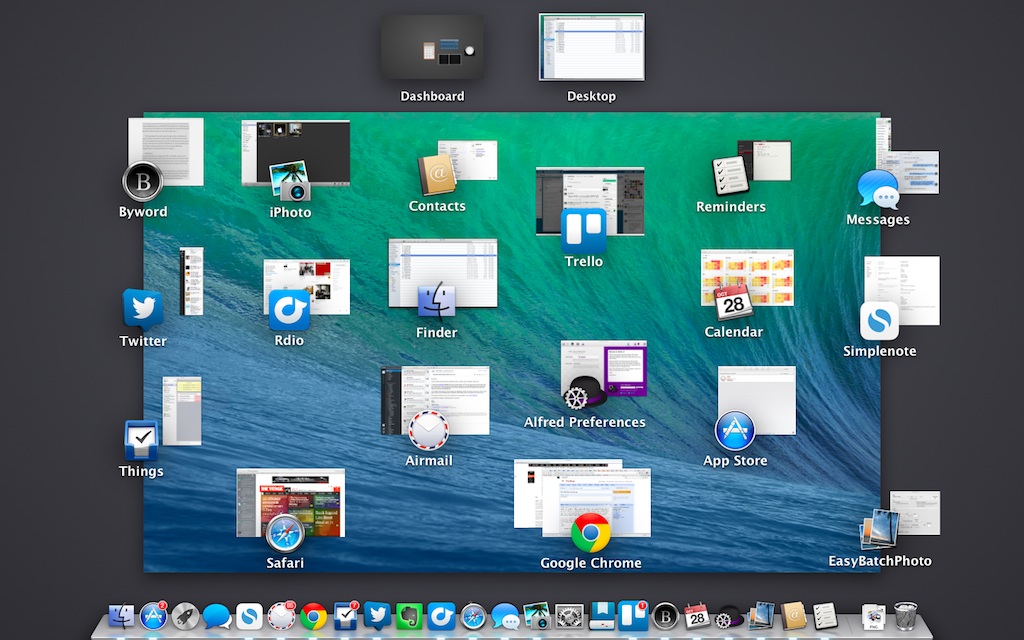
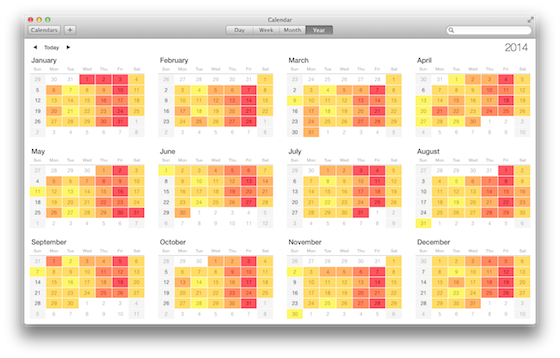
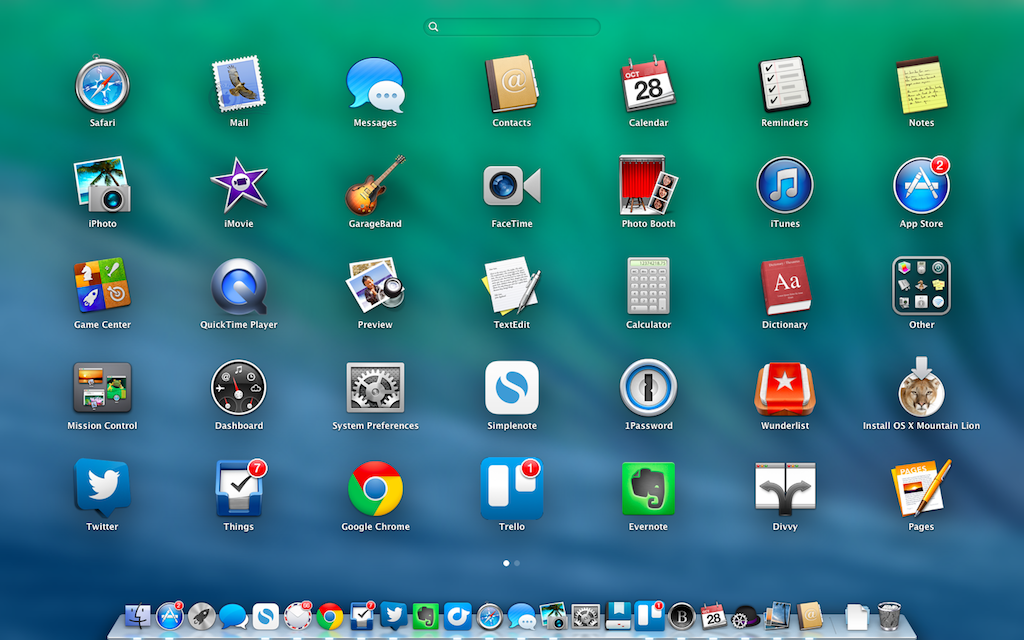
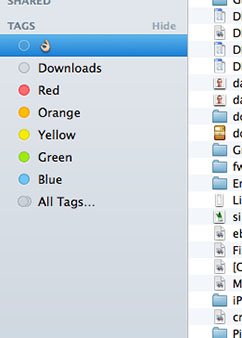
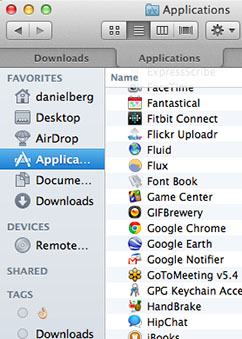
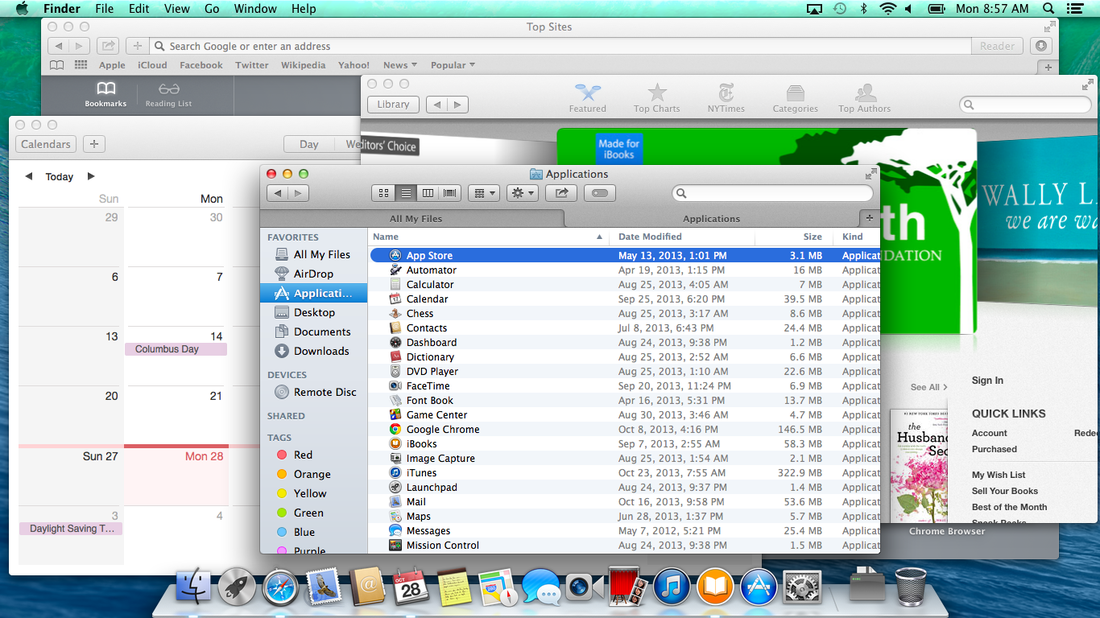
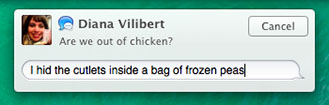
<div class="snippet-n"><div class="g8-2"> <a class="entry-section-title">Installation &amp; features</a><h2>Getting started</h2> <p>Like <a href="http://www.theverge.com/2012/7/25/3185644/mac-os-x-10-8-mountain-lion-review">Mountain Lion</a>, Mavericks is available for download in the App Store. But unlike Mountain Lion, which cost $19.99, Mavericks is simply listed as a &#8220;free upgrade,&#8221; available to anyone currently running Snow Leopard or newer on a wide variety of machines. Once the 5.29GB download finished, it took a little less than 30 minutes for my mid-2013 13-inch Macbook Air to update, after which I was prompted for my Apple ID. Like Mountain Lion, the OS is smart enough to know if there were any incompatible apps, a nice touch that helped me know which needed to be manually updated.</p> <p>Then you&rsquo;re let loose in the new operating system, which pretty much feels exactly the same as the old OS, except for the new aquamarine wave desktop wallpaper.</p> </div></div><div class="snippet-n"><div class="g12-1"><p><img alt="Kudod93j" class="photo" src="http://cdn1.sbnation.com/assets/3466501/kudod93j.jpg"></p></div></div><!-- ######## END SNIPPET ######## --><div class="snippet-n"><div class="g8-2"> <a class="entry-section-title">New and updated apps</a><h2>A facelift for your dock</h2> <p>Apple&rsquo;s Craig Federighi quipped that &#8220;no virtual cows were harmed in the making&#8221; of the new Calendar app, which is to say the gaudy fake leather and torn-paper aesthetic is completely gone. It&rsquo;s a big improvement, making the interface feel much more clean and modern. It&rsquo;s not exactly flat &mdash; buttons and checkboxes still have depth and shading &mdash; but it feels a lot more open. It&#8217;s also much easier to sync, share, and manage Google calendars, which means you won&#8217;t be driven to third-party options like <a target="new" href="http://www.busymac.com/busycal/">Busycal</a>.</p> <div class="snippet-n float-right"><p><img src="http://cdn0.sbnation.com/assets/3466405/qzniecab.png" class="photo" alt="Qzniecab"></p></div> <!-- ######## END SNIPPET ######## --><p>Contacts and Notes also received much-needed facelifts, but little more. Contacts now looks more like an email client, with a column of names on the left and detailed information in a larger window on the right &mdash; a big improvement over past versions&rsquo; book-like design, complete with fake binding stitching. Notes has also lost its skeuomorphism, replacing the fake yellow-lined paper with a subtly-patterned off-white sheet &mdash; though it&rsquo;s still just an ultra-simple app that syncs with your iPhone.</p> <p>But for all the design changes, Apple forgot about the icons. The Notes icon is still a yellow legal pad, which looks odd against the improved design. As much as people disliked iOS&rsquo; new icons, there&rsquo;s a certain cohesiveness about having all the styles match up. Apple&rsquo;s redesigned apps should have received redesigned icons, and the result leaves things feelings slightly old-fashioned.</p> <p>Most of the other core apps haven&rsquo;t changed much, and Messages and Mail are more basically the same apps as ever. Instead, Apple focused this time on new apps for OS X.</p> <h3>The iOS ports</h3> <p>Apple is freeing iBooks from the iPhone and iPad and bringing it to the Mac. It&rsquo;s hard to get excited about reading novels on a full-fledged laptop or iMac, but Apple&#8217;s execution is pretty much all you could ask for, with a built-in store and a really nice interface. Some may find yet another standalone store to be annoying &mdash; it might be better to have iBooks built into iTunes, but it&rsquo;s nice to be only a click away from the all-important <em>New York Times</em> bestseller list.</p> <div class="snippet-n float-right"> <img alt="F-1whw36" class="photo" src="http://cdn2.sbnation.com/assets/3466413/f-1whw36.png"><q>Maps doesn&rsquo;t need its own spot in your dock</q> </div> <p>Apple says you can swipe the trackpad to &#8220;flip&#8221; through pages, but most traces of skeuomorphism are gone &mdash; you won&#8217;t see any page-turn animations here. Instead, pages simply scroll to the left as you progress through a book. One missing action is the ability to pinch to zoom on pages, an odd omission for an interface that relies so heavily on touch and gestures. There are plenty of options that change theme and size, but the simple truth is that no matter which settings you choose, your MacBook Air will never be a Kindle Paperwhite.</p> <p>It&rsquo;s not the only app that feels out of place on a desktop, either. Apple Maps is a strange cross between Google Maps and Google Earth, and doesn&rsquo;t seem to need its own spot in your dock. While Maps makes perfect sense on a mobile device (and has improved a lot since iOS 6), its usefulness in Mavericks is much less apparent. There&rsquo;s no benefit over <a target="new" href="https://maps.google.com/">maps.google.com</a>, and I can&rsquo;t see anyone switching from Google&rsquo;s established website to Apple&rsquo;s new Maps app, regardless of how pretty it is.</p> <p>Reminders is still exceedingly basic and poorly designed, just like on Mountain Lion. The main thing I wish it had is Siri, which makes it easy to set time- or location-based reminders on iOS. The mobile Reminders app is one of Apple&rsquo;s most poorly designed applications, even with the iOS 7 improvements, and much of the same clunkiness has made it into the desktop version.</p> <p>Everything is synced through iCloud, so if you have your phone or tablet within reach, you can dictate a reminder that will show up everywhere. In fact, iCloud is a virtual necessity with Mavericks, since SyncServices, which used to govern the syncing between devices, is now gone. You can use protocols like CardDAV and CalDAV, but iCloud is the easiest, and most integrated, solution.</p> <p> </p> </div></div><div class="snippet-n"><div class="g12-1"><p><img alt="Tuk9fdbc" class="photo" src="http://cdn3.sbnation.com/assets/3466397/tuk9fdbc.png"></p></div></div><!-- ######## END SNIPPET ######## --><div class="snippet-n"> <div class="g3-2"> <img alt="Safari-242" class="photo" src="http://cdn0.sbnation.com/assets/3467465/safari-242.jpg"><img alt="Keychain-242" class="photo" src="http://cdn1.sbnation.com/assets/3467473/keychain-242.jpg"><img alt="Finder" class="photo" src="http://cdn0.sbnation.com/assets/3467505/finder.jpg"><img alt="Finder-tabs-242" class="photo" src="http://cdn1.sbnation.com/assets/3467529/finder-tabs-242.jpg"> </div> <div class="g7-5"> <a class="entry-section-title">Safari</a><h3>Safari</h3> <p>Apple hasn&#8217;t tried to reinvent the game with its latest version of Safari. Instead, it&rsquo;s spent the last year working to speed up the browser on every platform, and the results of that effort are noticeable. Safari feels quicker, lighter, and more responsive in Mavericks, thanks to improved JavaScript performance and memory optimization. Like Chrome, each webpage now runs as its own process, which should ensure that your entire browsing session won&#8217;t collapse if one website or plug-in becomes unresponsive.</p> <p>But there&rsquo;s another reason to give Safari a shot when you install Mavericks: Apple has brought some genuinely useful social integration to its browser. Once you&rsquo;ve enabled your Twitter and LinkedIn accounts within OS X&rsquo;s system-settings pane, a new Shared Links section &mdash; which appears both in the Safari Sidebar and alongside your Top Sites in any new tab &mdash; provides a list of everything your friends are linking to. It&rsquo;s one of the best new features of the entire OS, and I started using it often. By sticking purely to tweets that contain links, it cuts down on the constant noise that can overwhelm my Twitter timeline, and I never failed to find a link that piqued my interest. And when I finished a page, I could just keep scrolling &mdash; Safari takes you straight to the next link.</p> <q>Safari is worth another chance if you&rsquo;ve been ignoring it</q><p>All in all, Safari&rsquo;s definitely worth another chance if you&rsquo;ve been ignoring it in recent OS X releases. It might not totally replace Chrome&rsquo;s simplicity and huge extension library, but it&rsquo;s a far better, cleaner browser than it&rsquo;s ever been.</p> <a class="entry-section-title">iCloud Keychain</a><h3>iCloud Keychain</h3> <p>I&rsquo;ve been using <a target="new" href="https://agilebits.com/onepassword">1Password</a> for years, and I don&rsquo;t know what I&rsquo;d do without a secure and convenient password manager. iCloud Keychain is a built-in replacement for the $50 app: it&rsquo;s a system-wide password manager, complete with a secure password generator and the ability to auto-fill credit card information.</p> <p>Unfortunately, the implementation just isn&rsquo;t up to the standards of the third-party competition. iCloud Keychain is deeply integrated into Safari, but doesn&rsquo;t do me any good for the time I spend using Chrome. I couldn&rsquo;t find any way to import my information from another app, and the Keychain Access app only offered a limited feature set. It&rsquo;s great to see Apple getting started with password management, but it&rsquo;ll take some time before it&rsquo;s ready to replace the real power-user options.</p> <a class="entry-section-title">Finder</a><h3>Finder tags and tabs</h3> <p>Apple&rsquo;s Finder now has an organization system more akin to <a target="new" href="http://www.gmail.com">Gmail</a> or <a target="new" href="http://www.evernote.com">Evernote</a>. The oft-ignored color labels for files have been rebranded as tags, allowing users to view all files or documents within an assigned category. There are six tag colors, and users can write their own labels &mdash; with text or emoji.</p> <p>The tags system works exactly as described, but it&rsquo;s a hard system to push on users. If you upgrade from a previous version of OS X (rather than doing a clean install of Mavericks), all your previous labels will be automatically converted to tags, ready for sorting. But any other type of organization system needs to be built from the ground up, with each file manually selected and labeled. And even then, the only real benefit is being able to view a finder window with each of those files, which is a lot of work for something that so closely resembles a traditional file folder. A single file can have multiple tags, which is cool, but not cool enough to rethink the way you organize everything.</p> <p>Once tags get integrated more deeply with other apps, then I&rsquo;ll be more excited. If I could tag a file &#8220;dropbox&#8221; and have it automatically upload to my Dropbox account without moving to a different folder, then and only then would I start tagging documents.</p> <p>Finder now supports tabs, too, just like major web browsers, allowing users to cut the Finder window clutter when navigating through numerous directories. Command-T opens a new Finder tab, just like Safari, or you can select New Tab in the File menu &mdash; though it&rsquo;s oddly the sixth option down, and easy to miss or forget. There&rsquo;s no little plus button indicating that users can even make a new tab, either, and with the same interface as Mountain Lion it&rsquo;s easy to slip into old habits.</p> <p>Like a browser, holding the Command button while double clicking a folder will open it in a new tab, which I liked, but there was no way to make all new Finder windows open as tabs. Whenever you open a folder from anywhere other than Finder itself, you&rsquo;re stuck with a new window. The Finder <em>should</em> be cleaner than ever, with tabs and tags, but it&rsquo;s mostly the same. And Finder&rsquo;s buggy date-based organization, the missing features that have sprung a cottage industry of third-party replacements, still remain.</p> </div> </div><div class="snippet-n"><div class="g12-1"><p><img alt="Screen_shot_2013-10-28_at_8" class="photo" src="http://cdn0.sbnation.com/assets/3467561/Screen_Shot_2013-10-28_at_8.57.54_AM.png"></p></div></div><div class="snippet-n"><div class="g8-3"> <a class="entry-section-title">Performance</a><h2>Behind the scenes</h2> <p>Last year&rsquo;s Mountain Lion update gave OS X a noticeable improvement in speed and performance, flying through files and folders and waking up from sleep much more quickly. That doesn&rsquo;t really leave much room for improvement, but Mavericks is able to keep up with the the previous system for the most part. One area that does leave some room for improvement is scrolling throughout the system. It feels slightly choppier, even when compared to Mountain Lion running on a mid-2012 13-inch Macbook Air. It&rsquo;s a slight difference, barely noticeable, but it&#8217;s definitely not as smooth.</p> <p>Initially, battery life seemed like one of the most obvious reasons to upgrade to Mavericks &mdash; just by upgrading, Apple said, your computer would instantly last longer. There are a variety of reasons, but one is particularly clever: in order to conserve power, Mavericks puts any app that&rsquo;s not currently being used in slow motion mode. This is a smart move for Apple, ensuring fast performance even for users who never quit out of their apps. I didn&rsquo;t really notice any tangible difference in day-to-day use, and you can disable it for any app you choose as well. Having more free memory space is worth the tradeoff, especially if Apple can translate it into better battery life.</p> <div class="snippet-n float-right"><p><q>Battery life does get better &mdash; just not at first</q></p></div> <!-- ######## END SNIPPET ######## --><p>At first, though, battery life was significantly worse with Mavericks on my mid-2013 13-inch Macbook Air. I needed to plug in the computer by mid-afternoon, whereas before the notebook would easily last well into the evening hours, even with constant use.</p> <p>The Verge Battery Test, which cycles through a series of websites and high-res images at 65 percent screen brightness, showed the same results. The most recent 11-inch MacBook Air model, running Safari, lasted 7 hours, 57 minutes with Mavericks compared to 10 hours, 23 minutes for the same notebook before the OS upgrade. Those numbers have improved over time, but are still only slightly better than on Mountain Lion. Other publications have seen <a href="http://arstechnica.com/apple/2013/10/os-x-10-9/18/#battery-benchmarks">much bigger gains</a>, and we&#8217;re still running more tests &mdash; we&#8217;ll update here as we go.</p> <h3>Notifications and Dictation</h3> <p>One of the handiest improvements in 10.9 is interactive, synced notifications, a feature sadly still missing from iOS. Users can respond to Messages directly from the notification alert, and reply to or delete emails without leaving their current app. Almost all of Apple&rsquo;s apps have been updated to take advantage of the enhanced abilities, and hopefully third-party developers do the same in short order. It&rsquo;s the fastest, best notification system Apple&rsquo;s ever had, far better than iOS.</p> <div class="snippet-n float-left"><img alt="Messages" class="photo" src="http://cdn3.sbnation.com/assets/3467385/messages.jpg"></div> <p>Mountain Lion provided a very basic way to silence notifications: a switch that turns alerts and banners off until the following day. Mavericks makes this feature actually useful by giving it the same advanced options as Do Not Disturb for iOS. It&rsquo;s handy at night, and even more so if you&rsquo;re just trying to get focused work done.</p> <h3>Multiple Displays</h3> <p>It&rsquo;s rare for a nerdy feature like improved multiple-display support to be a major selling point for a new desktop operating system, but considering how much of a headache it&rsquo;s been since Lion, there&rsquo;s good reason to pay attention to the changes Apple has made here in Mavericks.</p> <div class="snippet-n float-right"><p><q>Using multiple displays has been bad for a long time</q></p></div> <!-- ######## END SNIPPET ######## --><p>Using more than one display got complicated when Apple added virtual desktops (called &#8220;spaces&#8221;) in Leopard, as Macs could no longer simply extend the usable desktop across two monitors like Windows does. Instead, each virtual desktop was extended across both displays, leaving you with multiple pairs of extended desktops. When Apple added long-overdue support for full-screen apps in Lion, things got much worse; opening a full-screen app on your laptop would leave your external display with a useless panel of gray linen.</p> <p>Mercifully, the situation is a lot better with Mavericks. The desktops on your primary display and your external display are no longer bound to each other. You can see this when you enter Mission Control: if you have five virtual desktops on your laptop, your external monitor will then show up as &#8220;Desktop 6.&#8221; And since they&rsquo;re not paired together, you can switch between desktops on your primary display without changing anything on the external monitor. You also aren&rsquo;t forced to have multiple virtual desktops on your external monitor anymore, and moving apps from your primary monitor to your external display is as simple as dragging it in Mission Control. (This was inexplicably impossible to do in earlier versions.) Full-screen apps now function properly as well: you can open an app in full-screen on any display, and the other monitor remains unchanged. (No more gray linen on entire displays.) And if you use two full-screen apps at the same time, it all works just as it should.</p> <p>With Mavericks the menu bar is now on both displays, as it always should have been. The display in focus gets the standard menu bar, while the other monitor is left with a very transparent version. The menu bar you see corresponds with whatever app you&rsquo;re using on each display; for example, it will give options for Chrome on your laptop while the menu bar on the external monitor will simultaneously offer choices for Finder. Apple&rsquo;s also decided to duplicate the dock on the secondary monitor. It&rsquo;s hidden, however, and you&rsquo;ll have to hit the bottom of the screen with your cursor to make it appear. Unfortunately, this rarely works, and I had to tap at least twice to make it appear. More importantly, I&rsquo;m not convinced that there&rsquo;s a good reason to have two docks.</p> <p>If you just can&rsquo;t get enough displays, Mavericks lets you use a television connected to an Apple TV or another AirPlay device as an external monitor rather than just a mirrored version of the primary display. It works impressively well, though you&rsquo;ll need a newer Mac (<a href="http://support.apple.com/kb/ht5404" target="new">from 2011 or later</a>) to use the feature.</p> </div></div><!-- ######## END SNIPPET ######## --><!-- ######## END SNIPPET ######## --><p><br id="1382915631924"></p><figure class="wp-block-pullquote alignleft"><blockquote><p>A free upgrade that feels like a free upgrade</p></blockquote></figure>
<p>At Apple, it&#8217;s clearly still about cars and trucks. While Jony Ive and his team focused on making iOS 7 usable and enjoyable for everyone, they&#8217;ve split the Mac into two. One on side, there&#8217;s the power user, who will upgrade to Mavericks to get Timer Coalescing and Energy Optimized Audio Buffers. On the other side are Mac owners who only pick up their laptop when their iPad battery dies. iBooks, Maps, the improved iCloud sync with your phone &mdash; that&#8217;s all for them. For the massive middle, the regular laptop users who use Office and Chrome and maybe a little Photoshop on the side, little has changed.</p>

<p>Everyone should upgrade to Mavericks, though. There&#8217;s no good reason not to &mdash; it&#8217;s free, it&#8217;s faster, it has a few new and improved apps. You&#8217;ll probably see your battery life improve after a few days. But don&#8217;t expect a radical rethinking of what a desktop computer can or should be &mdash; that job seems destined for a future version of iOS.</p>

<p><em>Dan Seifert, Dante D&#8217;Orazio, and Chris Welch contributed to this review</em></p>
						]]>
									</content>
			
					</entry>
			<entry>
			
			<author>
				<name>Dann Berg</name>
			</author>
			
			<title type="html"><![CDATA[iMovie update has a glitch that turns your video clips red]]></title>
			<link rel="alternate" type="text/html" href="https://www.theverge.com/2013/10/25/5028702/imovie-update-red-video-glitch" />
			<id>https://www.theverge.com/2013/10/25/5028702/imovie-update-red-video-glitch</id>
			<updated>2013-10-25T14:15:55-04:00</updated>
			<published>2013-10-25T14:15:55-04:00</published>
			<category scheme="https://www.theverge.com" term="Apple" /><category scheme="https://www.theverge.com" term="Tech" />
							<summary type="html"><![CDATA[Users of the newly redesigned iMovie app are seeing red after upgrading to&#160;OS X Mavericks. There&#8217;s a strange glitch that gives some .mov files a red tint when imported into Apple&#8217;s movie creator, while other file formats seem to be unaffected. The video files are discolored in both the Clips View and when previewing the [&#8230;]]]></summary>
			
							<content type="html">
											<![CDATA[

						
<figure>

<img alt="" data-caption="Apple Red iMovie" data-portal-copyright="" data-has-syndication-rights="1" src="https://platform.theverge.com/wp-content/uploads/sites/2/chorus/uploads/chorus_asset/file/14502186/vg-red-apple.1419980030.jpg?quality=90&#038;strip=all&#038;crop=0,0,100,100" />
	<figcaption>
	Apple Red iMovie	</figcaption>
</figure>
<p>Users of the newly redesigned iMovie app are seeing red after upgrading to&nbsp;<a href="http://www.theverge.com/2013/6/25/4461480/os-x-10-9-mavericks-preview-faster-smarter-and-leather-free">OS X Mavericks</a>. There&#8217;s a strange glitch that gives some .mov files a red tint when imported into Apple&#8217;s movie creator, while other file formats seem to be unaffected. The video files are discolored in both the Clips View and when previewing the edited project. Exporting the movie maintains the incorrect colors.</p>
<p><!-- extended entry --></p><hr class="widget_boundry_marker hidden page_break">
<p>Like many of Apple&#8217;s desktop apps, iMovie was completely redesigned for Mavericks. iMovie is part of the&nbsp;<a href="http://www.theverge.com/2013/10/22/4866498/ilife-2013-announced-for-ios-os-x">iLife suite of applications,</a> which Apple just announced will be free with the purchase of a new computer &mdash; but you may want to wait for a fix before doing any major iMovie editing.</p>

<p>We&#8217;ve reached out to Apple for comment.</p>

<p><em>Thanks for the tip,&nbsp;</em><a href="https://twitter.com/joshkimber/status/393760653917163521"><em>Josh</em></a><em>!</em></p>
						]]>
									</content>
			
					</entry>
			<entry>
			
			<author>
				<name>Dann Berg</name>
			</author>
			
			<title type="html"><![CDATA[White House partners with Instagram, opens for rare public photo tours this weekend]]></title>
			<link rel="alternate" type="text/html" href="https://www.theverge.com/2013/10/22/4867218/white-house-instagram-garden-tour" />
			<id>https://www.theverge.com/2013/10/22/4867218/white-house-instagram-garden-tour</id>
			<updated>2013-10-22T15:50:02-04:00</updated>
			<published>2013-10-22T15:50:02-04:00</published>
			<category scheme="https://www.theverge.com" term="Mobile" /><category scheme="https://www.theverge.com" term="Tech" />
							<summary type="html"><![CDATA[If you&#8217;ve always wanted to see the White House gardens but haven&#8217;t been able to make it out to Washington, DC, you&#8217;ll soon be able to hop on Instagram for a photographic tour. On Sunday, October 27th, both @WhiteHouse and @MichelleObama will be posting pictures from the Jacqueline Kennedy Garden, the Rose Garden, and the [&#8230;]]]></summary>
			
							<content type="html">
											<![CDATA[

						
<figure>

<img alt="" data-caption="white house verge stock" data-portal-copyright="" data-has-syndication-rights="1" src="https://platform.theverge.com/wp-content/uploads/sites/2/chorus/uploads/chorus_asset/file/14498658/f1fb2db4e51611e2b05d22000a1f9375_7.1419980018.jpg?quality=90&#038;strip=all&#038;crop=0,0,100,100" />
	<figcaption>
	white house verge stock	</figcaption>
</figure>
<p>If you&#8217;ve always wanted to see the White House gardens but haven&#8217;t been able to make it out to Washington, DC, you&#8217;ll soon be able to hop on Instagram for a photographic tour. On Sunday, October 27th, both <a href="http://instagram.com/whitehouse">@WhiteHouse</a> and <a href="http://instagram.com/michelleobama">@MichelleObama</a> will be posting pictures from the Jacqueline Kennedy Garden, the Rose Garden, and the South Lawn as part of a White House &#8220;InstaMeet.&#8221; Dubbed the White House Fall Garden Social, the event will be an Instagram meetup with in-person tours of the grounds and pictures shared on Instagram for all those unable to make the event.</p>
<p><!-- extended entry --></p><hr class="widget_boundry_marker hidden page_break"><p>The White House has a presence on most major social media sites &mdash; from <a href="https://twitter.com/whitehouse">Twitter</a> and <a target="_blank" href="https://www.facebook.com/WhiteHouse">Facebook</a>, to <a target="_blank" href="https://plus.google.com/+whitehouse/posts">Google+</a>, <a target="_blank" href="http://www.pinterest.com/whitehouse/">Pinterest</a>, and <a href="http://whitehouse.tumblr.com/" target="_blank">Tumblr</a> &mdash; and has not been afraid to use technology in an attempt to to <a href="http://www.theverge.com/2013/7/19/4537742/real-life-superpowers-white-house-google-hangout">connect with a wider audience</a>. In the past, the White House has used Twitter to organize &#8220;tweetups,&#8221; encouraging users to interact with the administration using hashtags during events like a <a href="http://www.whitehouse.gov/blog/2011/12/09/holiday-whtweetup-shine-give-sharetweet" target="_blank">holiday meetup</a> or the <a href="http://www.whitehouse.gov/blog/2012/01/17/announcing-state-union-tweetup-white-house" target="_blank">State of the Union Address</a>. While space at the upcoming garden meetup is limited, Instagram will allow a much larger group of people to digitally join the event and view the grounds, regardless of location.</p>
						]]>
									</content>
			
					</entry>
			<entry>
			
			<author>
				<name>Dann Berg</name>
			</author>
			
			<title type="html"><![CDATA[Ray Kurzweil&#8217;s journey towards the end of dying]]></title>
			<link rel="alternate" type="text/html" href="https://www.theverge.com/2013/10/18/4852338/ray-kurzweil-immortality" />
			<id>https://www.theverge.com/2013/10/18/4852338/ray-kurzweil-immortality</id>
			<updated>2013-10-18T12:15:03-04:00</updated>
			<published>2013-10-18T12:15:03-04:00</published>
			<category scheme="https://www.theverge.com" term="Science" /><category scheme="https://www.theverge.com" term="TL;DR" />
							<summary type="html"><![CDATA[Can humans live forever? Ray Kurzweil, noted author, futurist, and Google&#8217;s director of engineering, sees immortality as a series of bridges, each leg working to expand life a little longer. In an interview with Maclean&#8216;s, Kurzweil described taking 150 supplements per day, which he credits for younger results on biological aging tests. But supplements are [&#8230;]]]></summary>
			
							<content type="html">
											<![CDATA[

						
<figure>

<img alt="" data-caption="Ray Kurzweil (Wikimedia)" data-portal-copyright="" data-has-syndication-rights="1" src="https://platform.theverge.com/wp-content/uploads/sites/2/chorus/uploads/chorus_asset/file/14494005/Ray_Kurzweil.1419980007.jpg?quality=90&#038;strip=all&#038;crop=0,0,100,100" />
	<figcaption>
	Ray Kurzweil (Wikimedia)	</figcaption>
</figure>
<p>Can humans live forever? Ray Kurzweil, noted author, futurist, and <a href="http://www.theverge.com/2012/12/14/3768332/futurist-ray-kurzweil-joins-google-will-focus-on-machine-learning-and">Google&#8217;s director of engineering</a>, sees immortality as a series of bridges, each leg working to expand life a little longer. In an <a href="http://www2.macleans.ca/2013/10/14/how-nanobots-will-help-the-immune-system-and-why-well-be-much-smarter-thanks-to-machines-2/">interview with <em>Maclean</em>&#8216;s</a>, Kurzweil described taking 150 supplements per day, which he credits for younger results on biological aging tests. But supplements are only the first bridge; the second, he says, will be tiny nanobots that help fight diseases by augmenting the immune system. This technology won&#8217;t just extend life, but will allow people to remain active longer by simultaneously improving health and vitality. Google is also hoping to help expand the human lifespan with its <a href="http://www.theverge.com/2013/9/18/4744650/google-launches-calico-as-separate-company-to-improve-human-health">new company Calico</a>, which aims to make improvements in human health and well-being.</p>

<p>He&#8217;s not just working on life extension, though: Kurzweil is playing an important role in the journey towards a future with smarter computers. He&#8217;s currently working on improving machines&#8217; <a href="http://www.theverge.com/2013/3/20/4127266/ray-kurzweil-recruited-by-larry-page">natural language processing skills</a>, which would allow robots to read, consume, and understand human communication. While this would have practical applications, such as improving services like Google Now, Kurzweil also believes that creating intelligent robots is of the <a href="http://www.theverge.com/2013/1/10/3863656/how-ray-kurzweil-plans-to-teach">utmost importance</a> for human evolution.</p>
						]]>
									</content>
			
					</entry>
			<entry>
			
			<author>
				<name>Dann Berg</name>
			</author>
			
			<title type="html"><![CDATA[Why did Sharp just put a tablet into this cutting board?]]></title>
			<link rel="alternate" type="text/html" href="https://www.theverge.com/2013/10/18/4852024/chop-syc-kitchen-tablet-healthy-portion-control" />
			<id>https://www.theverge.com/2013/10/18/4852024/chop-syc-kitchen-tablet-healthy-portion-control</id>
			<updated>2013-10-18T11:07:01-04:00</updated>
			<published>2013-10-18T11:07:01-04:00</published>
			<category scheme="https://www.theverge.com" term="Concepts" /><category scheme="https://www.theverge.com" term="Design" /><category scheme="https://www.theverge.com" term="Smart Home" /><category scheme="https://www.theverge.com" term="Tech" />
							<summary type="html"><![CDATA[There are so many great recipe apps, but taking a tablet to the kitchen can be both inconvenient and potentially disastrous. Siobh&#225;n Andrews, a Falmouth University student, thought up an elegant solution. He submitted the sketch of an interactive chopping board with a giant touchscreen display to Sharp Labs&#8217; #GetItDownOnPaper competition. Over the course of [&#8230;]]]></summary>
			
							<content type="html">
											<![CDATA[

						
<figure>

<img alt="" data-caption="Chop-Syc" data-portal-copyright="" data-has-syndication-rights="1" src="https://platform.theverge.com/wp-content/uploads/sites/2/chorus/uploads/chorus_asset/file/14493900/IMG_0001.1419980006.jpeg?quality=90&#038;strip=all&#038;crop=0,0,100,100" />
	<figcaption>
	Chop-Syc	</figcaption>
</figure>
<p>There are so many great recipe apps, but taking a tablet to the kitchen can be both inconvenient and potentially disastrous. Siobh&aacute;n Andrews, a Falmouth University student, thought up an elegant solution. He submitted the sketch of an interactive chopping board with a giant touchscreen display to Sharp Labs&#8217; <a href="http://#GetItDownOnPaper%20competition">#GetItDownOnPaper competition</a>. Over the course of two months, the idea became a prototype called Chop-Syc, which aims to simplify healthy eating by providing easy cooking instructions and calculating portion control.</p><p><!-- extended entry --></p><hr class="widget_boundry_marker hidden page_break">
<p>The chopping board runs unique software designed to specifically help with the cooking process. After a user selects a recipe, the ingredient amounts automatically adjust to match the number of people dining. There&#8217;s also a spaghetti measuring tool, which displays a circle on the screen that users can compare to uncooked pasta in order to make the correct portion. Using a built-in scale, users can even measure individual ingredients directly on the chopping board&#8217;s surface.</p>
<p><iframe frameborder="0" height="281" width="560" src="//player.vimeo.com/video/74730839?title=0&amp;byline=0&amp;portrait=0"></iframe></p><p><q class="right">helping tackle the problem of global obesity</q></p>
<p>Chop-Syc is also Wi-Fi enabled, which allows users to browse and save recipes directly from their kitchens. The built-in recipe manager stores a user&#8217;s cooking history, so it&#8217;s easy to look up a favorite past meal. But the goals for the device are much loftier than just a fancy recipe manager: the team hopes to help tackle the problem of global obesity by empowering users with easier access to healthy recipes and portion control.</p>

<p>This idea for a digital chopping board <a href="http://www.bornrich.com/cutting-boards-go-cutting-edge.html">isn&#8217;t completely new</a>, but this is the first time we&#8217;ve seen a working prototype. Although the product is still in the concept stage, the company is exploring its options in terms of bringing an actual product to market. It would likely be a big improvement over other <a href="http://www.theverge.com/2012/1/8/2692913/qook-culinary-tablet-pictures-video">kitchen-based tablets</a> we&#8217;ve seen.</p>
						]]>
									</content>
			
					</entry>
			<entry>
			
			<author>
				<name>Dann Berg</name>
			</author>
			
			<title type="html"><![CDATA[Aereo expanding to Detroit on October 28th]]></title>
			<link rel="alternate" type="text/html" href="https://www.theverge.com/2013/10/18/4851910/aereo-detroit-october-28th" />
			<id>https://www.theverge.com/2013/10/18/4851910/aereo-detroit-october-28th</id>
			<updated>2013-10-18T09:31:37-04:00</updated>
			<published>2013-10-18T09:31:37-04:00</published>
			<category scheme="https://www.theverge.com" term="Policy" /><category scheme="https://www.theverge.com" term="Tech" />
							<summary type="html"><![CDATA[Aereo CEO Chet Kanojia Aereo&#8217;s territory is growing even larger with the&#160;announcement of a Detroit launch on October 28th. The service &#8212; which allows users to stream broadcast television channels online &#8212; has been keeping an&#160;aggressive expansion schedule in 2013, with most recent support coming to&#160;Miami, Houston, and Dallas last month. The growth hasn&#8217;t been [&#8230;]]]></summary>
			
							<content type="html">
											<![CDATA[

						
<figure>

<img alt="" data-caption="Aereo CEO Chet Kanojia." data-portal-copyright="" data-has-syndication-rights="1" src="https://platform.theverge.com/wp-content/uploads/sites/2/chorus/uploads/chorus_asset/file/14493858/chet-kanojia-dvr-racks-aereo.1419980006.jpg?quality=90&#038;strip=all&#038;crop=0,0,100,100" />
	<figcaption>
	Aereo CEO Chet Kanojia.	</figcaption>
</figure>
<p><em><em>Aereo CEO Chet Kanojia</em></em></p>

<p>Aereo&#8217;s territory is growing even larger with the&nbsp;<a href="http://blog.aereo.com/2013/10/aereo-rolls-into-detroit-on-october-28th/">announcement of a Detroit launch</a> on October 28th. The service &mdash; which allows users to stream broadcast television channels online &mdash; has been keeping an&nbsp;<a href="http://www.theverge.com/2013/1/8/3851386/aereo-live-tv-service-expanding-to-22-more-cities">aggressive expansion schedule</a> in 2013, with most recent support coming to&nbsp;<a href="http://www.theverge.com/2013/8/8/4601286/aereo-will-go-live-in-miami-houston-and-dallas-this-september">Miami, Houston, and Dallas</a> last month. The growth hasn&#8217;t been easy for the streaming TV company, which has faced legal pushback from major broadcasters in almost every major metropolitan city. The legal battles haven&#8217;t been slowing Aereo&#8217;s growth, with&nbsp;<a href="http://www.theverge.com/2013/9/19/4748562/federal-judge-in-boston-inclined-to-rule-for-aereo">judges often ruling against</a> the television broadcasters&#8217; complaints.&nbsp;TV programmers have&nbsp;<a href="http://www.theverge.com/2013/10/11/4828842/tv-broadcasters-have-little-luck-in-court-against-aereo-ask-supreme">petitioned the Supreme Court</a> to rule on the legality of Aereo, but experts say that the high court is unlikely to get involved.</p>
						]]>
									</content>
			
					</entry>
	</feed>